Docs · Stacking
Wavelet
The wavelet method picks, from across the frames, the strongest detail of every size and direction, rebuilds one sharp gray picture from the winners, and then gives each pixel the color of the frame that matches the gray picture best there.
Where it comes from
The method is Brigitte Forster, Dimitri Van De Ville, Jesse Berent, Daniel Sage and Michael Unser's, from Complex wavelets for extended depth-of-field: a new method for the fusion of multichannel microscopy images (Microscopy Research and Technique, 2004). Petteri Aimonen's open-source focus-stack made a fast, practical program of it, and Deptheos's wavelet method is adapted from it, on the GPU.
In short: each frame is reduced to gray and split by a complex wavelet transform into bands of detail, one per size and direction. At every position of every band the frame with the strongest detail wins outright, and only the broadest shading is averaged over the frames. The winners add back up into a merged gray picture, sharp everywhere, and a second pass over the frames gives each pixel the whole color of the frame whose gray value there is closest to it. Every pixel of the result exists in one of the frames.
The consistency filters tidy stray choices, and change a choice only to the frame that came second
there. At 1, where two of a place's three detail directions chose the same frame, the
third takes it too if that was its second choice. 2 adds a filter for a frame chosen
nearer or farther than all four neighbors': it takes its second choice if that matches theirs. They
are off by default and double the memory the merge's choices take; the
command line turns them on with --consistency.
When to choose it
For fine crossing detail, such as hairs over a distant background, it is as crisp as the pyramid, because it chooses separately for each size of detail. Each pixel's color comes whole from one frame, and the order of the frames does not matter to it.
Smooth, blurred areas are its weak spot. There many frames are almost equally bright, the choice of color flips from pixel to pixel, and the result is grain or blotches. Closest brightness also doesn't guarantee the sharpest frame—a blurred frame that happens to match the target brightness can win a pixel's color—and beside a bright edge, the out-of-focus glow can outweigh faint detail in an adjacent dark area. For plain backgrounds, try Depth; Choosing a method shows the wavelet beside the other two on the same places.
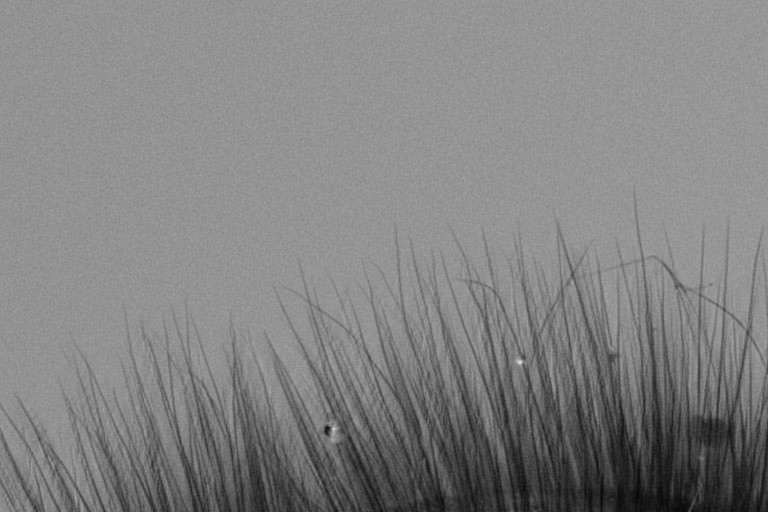
Every hair is sharp at once, which no single frame has. The method's whole judgment of what is sharp is in this picture.
Each pixel now has the color of the frame whose brightness came closest to the gray picture's there. The hairs keep their sharpness. In the plain green, many frames are almost equally bright, so neighboring pixels can come from different frames, and their small differences show as grain.
Denoise
What it does. Shrinks weak detail in the merged bands before the gray picture is rebuilt, from 0 (off) to 10, default 1. The slider's ends read All detail and Less noise. Higher values remove more noise, and more of the faintest texture with it.
When to change it. Raise it a little at a time to remove noise, and stop when faint texture starts to go before the grain does. It cannot stop the color choice switching frames from pixel to pixel, so a smooth background can stay grainy at any setting; there, stack with Depth and paint from it.